It's 6:10 on a Monday morning and a gym group's support inbox already has nine emails. New members can't add their membership card to Apple Wallet. Members who already have one are fine. The developer who set this up two years ago left the company, and nobody can say where the signing certificate came from.
We'll call the person who inherits the problem Priya. By 9:00 she has found the cause, and it takes one line to describe. The Pass Type ID certificate expired overnight. Fixing it takes the rest of her week, because she has to find the Apple account, generate a new key, rebuild the signing step and work out where the old private key was kept.
Signing is the part of Apple Wallet that nobody plans for, because it works until it doesn't. This guide follows a certificate through its whole life. You'll see what signing proves, how the chain is built, how to get and export the certificate, where to keep the key, how updates depend on it, and what to do before it expires.
What a signature proves, and what it doesn't
A .pkpass is a ZIP archive, and Wallet will install nothing from it until it checks the signature. That check answers two questions. Has anything in the bundle changed since your server wrote it? And did the account that owns this pass type identifier produce it?
Those are the only two promises. A signature doesn't hide the contents. Anyone who holds the file can unzip it and read the barcode value, the name and every field. It also doesn't prove the data is true. If your server signs a pass with the wrong balance, the signature is perfectly valid.
That distinction shapes the rest of this guide. The certificate is your identity in Wallet. Whoever holds its private key can issue passes as you, and nothing on the phone can tell their passes from yours. So the interesting questions are all about custody: who can get at the key, how long it lasts and what breaks when it lapses.
The signed bundle in one page
Apple's Building a Pass documentation lists the steps. Write a manifest.json, make a PKCS #7 detached signature of it, add the signature file at the top level, zip the folder and rename it .pkpass.
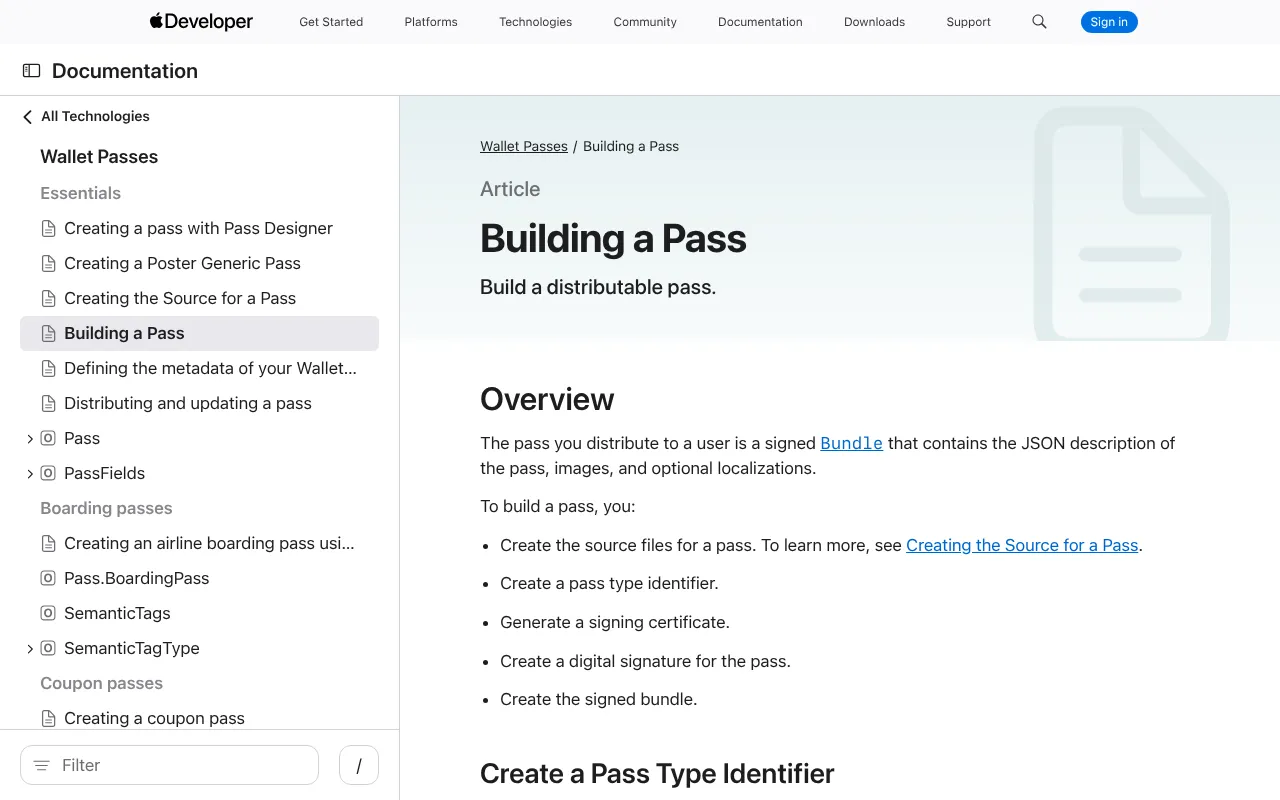
Apple's Building a Pass page in the Wallet Passes documentation, captured 26 October 2026.
The manifest is a JSON dictionary. Each key is a file path, and each value is the SHA-1 hash of that file, hex encoded. It lists every file except itself and the signature. If you want the full tour, what a pkpass contains walks through every file.
The signature is where people get hurt. Apple's older Wallet developer guide, now in its archive, says to sign with the private key of your signing certificate and to include the WWDR intermediate certificate as part of the signature. It also asks for the date and time of signing in the S/MIME signing-time attribute. The current documentation drops the detail, so many people never see it.
Two things Apple does not say anywhere we could find. It never names a digest algorithm for the signature, and it never states a key size for Pass Type ID certificates. Libraries sign with SHA-256 and the passes install, but that is observed behavior and not a published guarantee. Treat it as something to keep testing on a real phone whenever you change signers.
The chain Wallet walks
When Wallet opens the file, it builds a path from your certificate to a root it already trusts. There are three links.
The root. Apple's root certificates ship inside iOS. You never touch them.
The intermediate. This is the Worldwide Developer Relations certificate, usually shortened to WWDR. Apple issued your certificate, and the intermediate is how a phone connects it back to the root. A phone has no reason to hold the intermediate you need, which is why it has to travel inside your signature.
Your Pass Type ID certificate. This is the leaf. Its subject carries your Pass Type ID and your team identifier, and Wallet compares both against the passTypeIdentifier and teamIdentifier in pass.json. A mismatch fails the install.
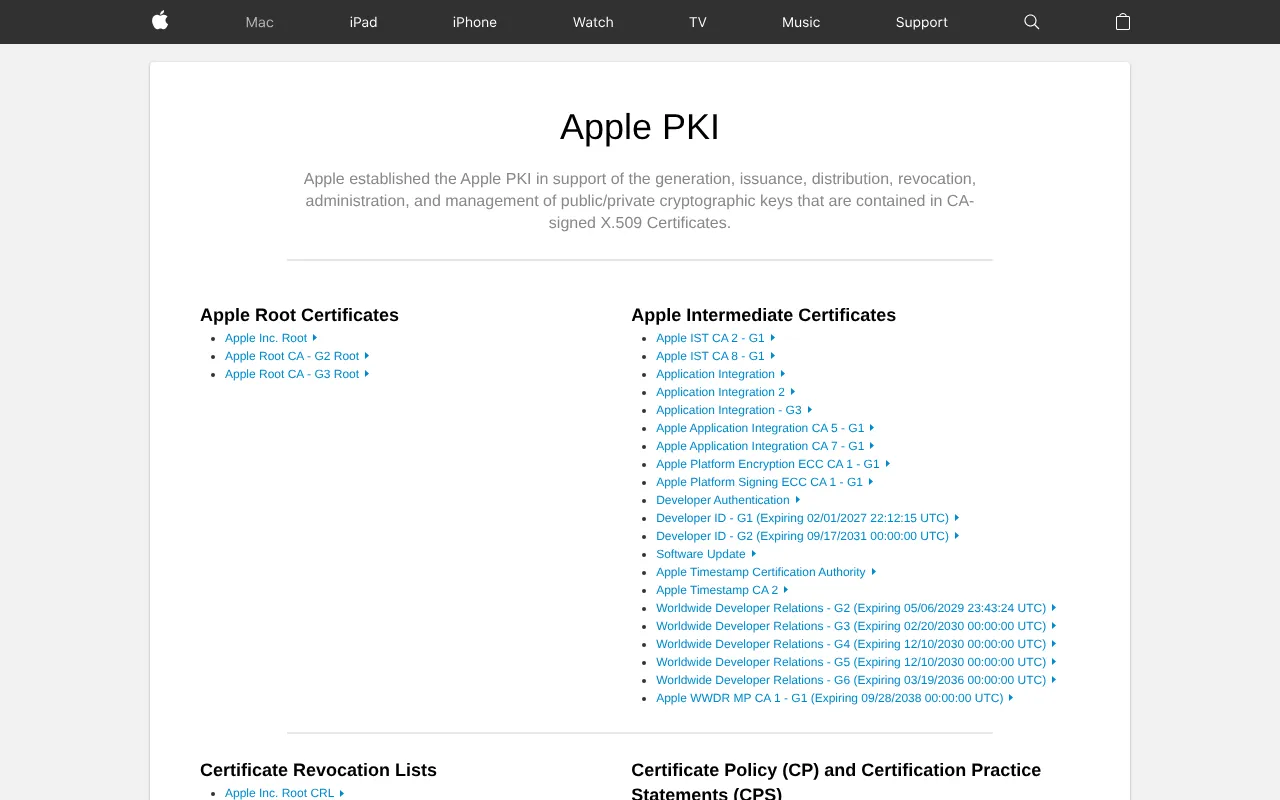
Apple's certificate authority page, which lists each WWDR generation with its expiry date, captured 26 October 2026.
There isn't one WWDR certificate. Apple rotated its intermediates and now publishes several generations, each for a different purpose. Apple says the rotation was meant to improve revocation list performance and to separate the purposes of different certificates. These are the expiry dates from Apple's certificate authority page:
| Generation | Expires | What Apple associates it with |
|---|---|---|
| G2 | June 5, 2029 | Apple Pay payment processing |
| G3 | February 20, 2030 | Development and distribution certificates |
| G4 | December 10, 2030 | Pass Type ID, push notifications, Order Type ID, Website Push ID |
| G5 | December 10, 2030 | Apple Managed certificates |
| G6 | March 19, 2036 | Swift signing |
| G7 | Not on that page | App Store receipt signing |
Apple's help page for these certificates lists Pass Type ID and Pass Type ID with NFC under G4. Its expiration page says the Pass Type ID certificates updated on January 27, 2022 are associated with the G4 sub CA. The original WWDR certificate expired on February 7, 2023 and no longer appears on the list.
Here is where you'll find folklore. A lot of guides, including our own certificate chain explainer, say that G4 is the only intermediate that works and that G2, G3, G5 and G6 all fail. Apple's wording is "associated with", not "only accepted". The claim comes from library wikis and forum threads. It's a good rule of thumb, because it matches what Apple associates with Pass Type ID, but it isn't an Apple statement. The safer rule is to embed the intermediate that actually issued your certificate. For a Pass Type ID certificate that will be G4.
Apple has one more instruction worth following. Keep the old and new intermediates installed on your development machines and servers until a rotation has finished. A signer that hard-codes one file will break the day your certificate comes from a different generation.
Getting the certificate
You need an Apple Developer Program membership, which costs $99 a year, with waivers for some nonprofits, schools and government bodies. Registering the identifier and creating the certificate takes the Account Holder or Admin role.
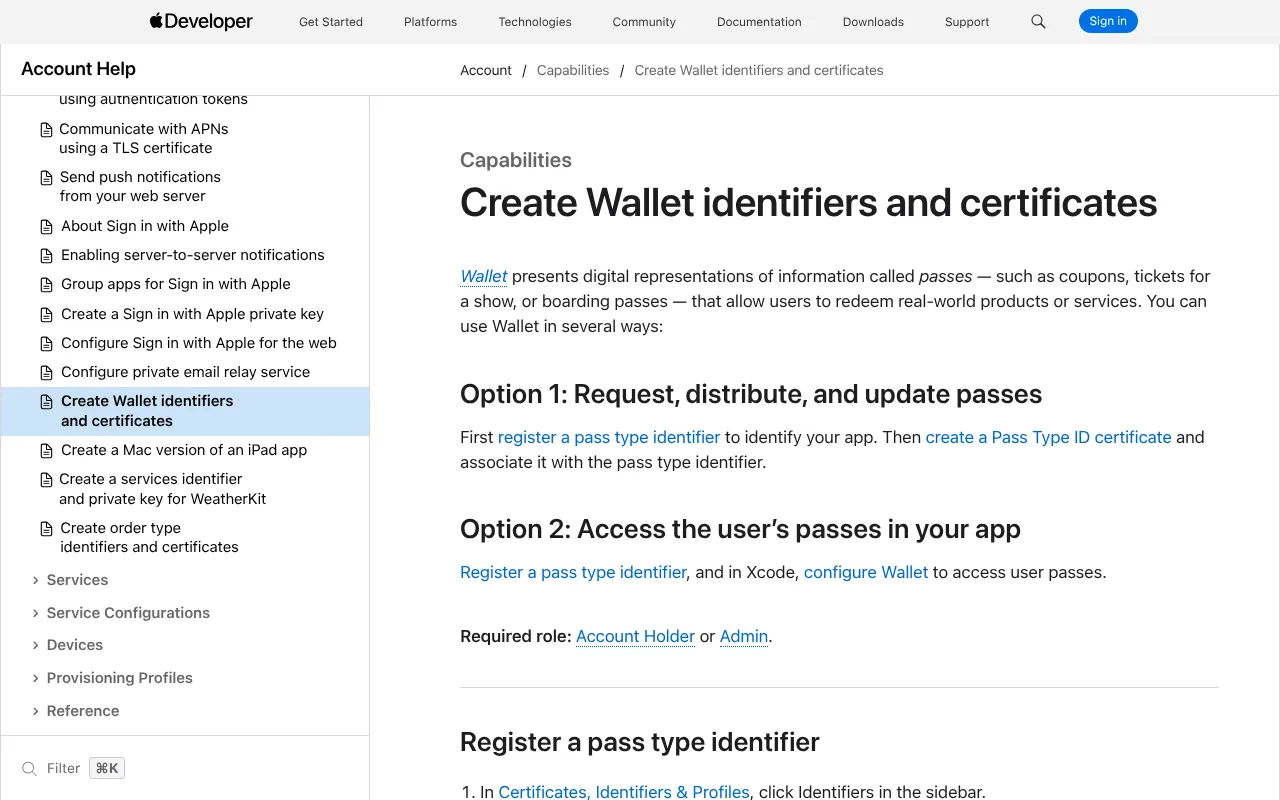
Apple's account help page for Wallet identifiers and certificates, captured 26 October 2026.
The sequence has five steps:
- Open Certificates, Identifiers & Profiles and choose Identifiers, then the plus button, then Pass Type IDs.
- Enter a description and an identifier. The identifier is reverse DNS and starts with
pass., such aspass.com.example.loyalty. - Open Certificates, press the plus button, choose Pass Type ID Certificate and pick the identifier you just made.
- Upload a certificate signing request. Apple's page describes making one in Keychain Access on a Mac, through Certificate Assistant.
- Download the
.cerfile Apple gives you.
Make one identifier per brand or program, and name it for the program and not for a campaign. The identifier is permanent. Every pass you issue carries it in pass.json, and changing it means issuing new passes.
You'll also want the 10-character team identifier from your membership page. It goes into pass.json as teamIdentifier.
On validity, Apple's pages we checked don't state a lifetime for these certificates. A reply on the Apple Developer Forums says they last a year, and that matches what teams report. We'd plan for one year and read the expiry date off the certificate itself. Apple also sends a reminder email about 30 days before expiry, again according to that forum thread, and the inbox it goes to is often one nobody reads.
The .p12 trap
Keychain Access holds the certificate and the private key together. To use them on a server you export both as a .p12 file, protected with a password, and then convert it into the formats your signing code reads. Apple's pages don't describe the export, so this part is practice and not documentation.
Most signing code wants PEM files. You can split the .p12 with OpenSSL:
openssl pkcs12 -in Certificates.p12 -clcerts -nokeys -out cert.pem
openssl pkcs12 -in Certificates.p12 -nocerts -nodes -out key.pem
The second command writes an unencrypted private key to disk. Do it in a protected directory, move the file into your secrets store and delete it. Never leave key.pem in a project folder.
Then there's the failure that eats an afternoon. OpenSSL 3 changed its defaults. Per its documentation, a new export uses AES-256-CBC with PBKDF2 and a SHA-256 MAC, and files made with the older RC2 or 3DES algorithms need the -legacy flag to open. If openssl pkcs12 complains about an unsupported algorithm on a file Keychain gave you, add -legacy to the command.
The problem runs the other way too. A .p12 made by a modern OpenSSL can fail to import on older macOS. Apple's developer relations engineer said on the forums that macOS 15 added support for newer algorithms and that earlier versions are unlikely to get them. They also noted that the security command line tool takes older code paths and may fail even on macOS 15. If an import breaks, check the macOS version before you suspect the file.
The conversion step is also why signing libraries differ. Some shell out to openssl, which fails in any container image without it. Others read the .p12 themselves. That is the reason our guides for Python and Go both sign in-process.
To check a signature by hand, you can sign a manifest from the command line and compare it with what your code produces:
openssl smime -sign -binary -in manifest.json -signer cert.pem \
  -inkey key.pem -certfile wwdr.pem -outform DER -out signature
Without -nodetach the output is a detached signature, which is the form Wallet wants. Keep this for debugging. Production signing belongs in code with the key held somewhere safer than a file.
Where the private key lives
Everything else in this guide is mechanical. This part is a judgement call, so we'll label it as opinion.
Apple tells you very little about key custody. What it does say is that a compromised Pass Type ID certificate should be reported to product-security@apple.com, and that Apple can revoke a certificate at any time. The rest follows from what the key can do. Anyone holding it can issue passes under your name, and you won't see them being issued.
These are the habits we'd follow, in rough order of payoff:
- Keep the key out of the repository and the image. A
.envfile or a build argument ends up in a log sooner or later. - Encrypt it at rest with a key management service, and decrypt it only inside the process that signs.
- Separate signing from serving. The service that answers pass downloads doesn't need the key if it can ask another service to sign a manifest. Then a bug in your web tier can't leak the key.
- Use one Pass Type ID per brand or tenant, each with its own key, so one leak has a bounded reach.
- Never email a
.p12. Send the password by a different channel, or better, don't send the file at all. - Don't log key material, including in error messages.
The split-signing design is worth understanding even if you never build it. A signing service receives the manifest bytes and returns a signature. The key and the certificate never cross the boundary, so the web tier has nothing to leak. Passmint runs this way, and we describe it near the end.
Updates run on the same certificate
Signing isn't just for the first install. A pass update is a new pass with the same pass type identifier and the same serial number, and every update has to be signed again. That means an expired certificate stops updates as well as new issuance.
The push that tells a phone to fetch an update also depends on your certificate. Apple's documentation says the notification uses the same certificate and private key you signed the original pass with, the push token the device registered, and an empty JSON dictionary as the payload. It also says pass updates work only against the production APNs environment, so there's no sandbox to test in.
Token-based authentication is where the sources split. Apple's pass documentation describes the certificate path only. An Apple developer relations engineer wrote on the forums that you can authenticate with a JSON Web Token and use the Pass Type ID as the push topic. For certificate-based sending, they said the topic can be left out if the certificate is used only for Wallet. A .p8 key has one practical advantage, which is that Apple's expiration page says the APNs token key never expires. That's a forum statement and not a documentation page, so test it with your own pass type before you plan around it.
The rest of the protocol, with the registration endpoints and the fetch that follows a push, is in how the update protocol works. If updates stop arriving, why a pass stops updating is the checklist.
Expiry, revocation and renewal
Apple states the consequences of expiry plainly. Passes already installed on devices keep working normally, but you can no longer sign new passes or send updates to existing ones. A revoked certificate is a different matter. Apple says that if yours is revoked, your passes will no longer function properly.
So the two events are nothing alike. Expiry is an outage you can recover from, and it hits new members first. Revocation damages passes people already hold. The practical lesson is simple. Never revoke an expired certificate, because there's nothing to gain and passes to lose. Our post on what breaks when the certificate expires covers the symptoms in detail.
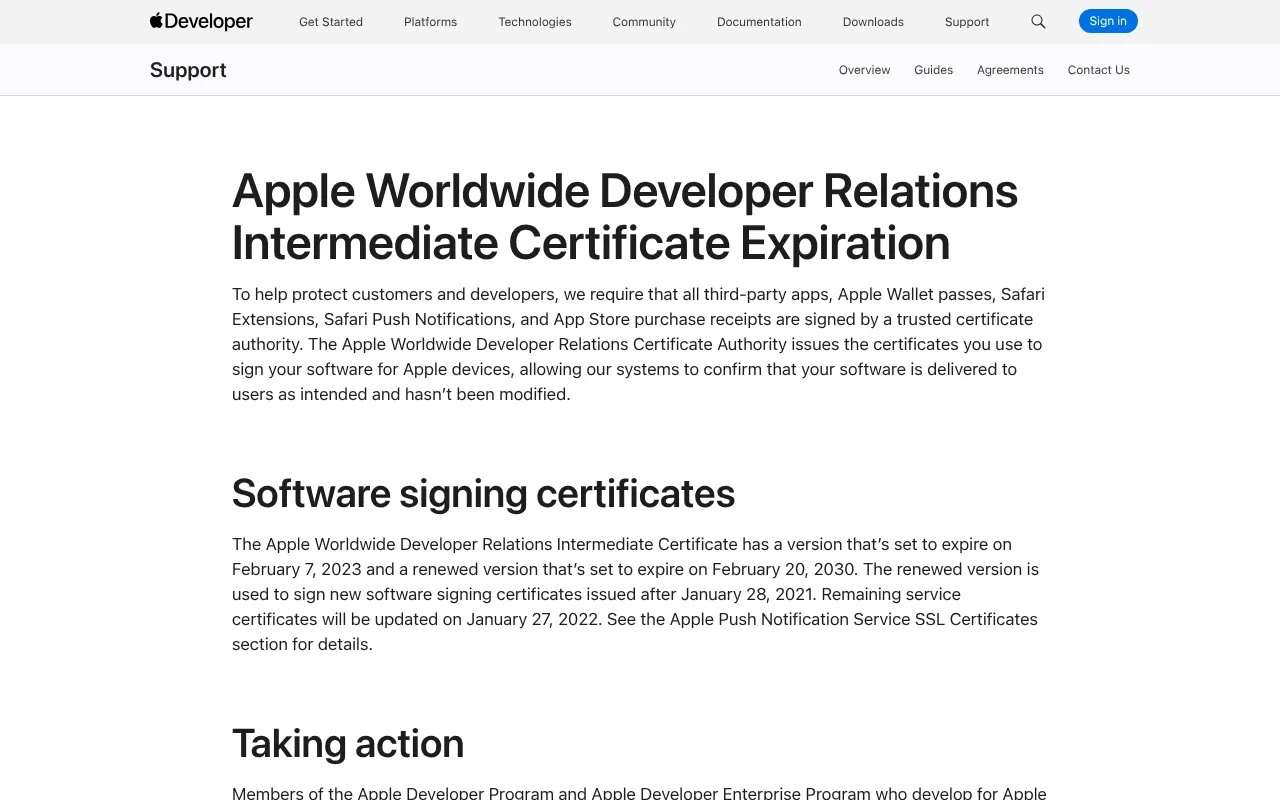
Apple's expiration page, captured 26 October 2026.
There's no in-place renewal. You create a new certificate for the same Pass Type ID, using a new signing request, and swap it into your signer. Passes keep the same identifier and serial number, so the new signature simply replaces the old one when a phone fetches an update. Community guides agree on this, and Apple's documentation doesn't describe a renewal flow.
This runbook has saved teams more than once:
- Put the expiry date in a calendar, owned by a team and not a person.
- Alert 30, 14, 7 and 1 day before expiry, to a channel people watch.
- Create the new certificate at least two weeks early.
- Sign a test pass with it and install it on a real phone.
- Switch the signer, then confirm an update reaches an installed pass.
- Keep the old certificate until you've confirmed the new one works.
Apple's WWDR intermediates matter here too. The nearest expiry in the table above is G2 in 2029, and the ones Pass Type ID certificates use end in December 2030. We found no announced rotation on Apple's pages as of this writing. Check the certificate authority page each year, because Apple has rotated them before.
Google Wallet has none of this
It's worth a short detour, because the contrast explains why teams sometimes say that Android is easy. Google Wallet has no signed file. You create a service account tied to your issuer account, build a JSON pass object and sign it into a JWT with the service account's private key. The claims include the issuer, an audience of google, a type of savetowallet and your pass payload. The token is appended to a save URL.
There's no manifest, no intermediate certificate and no per-pass certificate to renew in what we read, although Google's documentation doesn't state that last point outright. Updates go through a REST API and not a push followed by a fetch. If you run both wallets you'll have two credential stories, and only one of them has a calendar attached. The Google Wallet JWT flow explains the other side.
A triage table for signing failures
When an install or update fails, work through this in order. The first column is what you see.
| Symptom | Likely cause | Check |
|---|---|---|
| Pass won't install, no message | Manifest hash doesn't match a file | Rebuild the manifest after the last change to any file |
| Wallet log: passTypeIdentifier or teamIdentifier may not match | Identifier or team differs from the certificate subject | Compare pass.json with the certificate |
| Same log, identifiers match | Chain can't be verified | Confirm the WWDR you embedded issued your certificate |
| New passes fail, installed ones fine | Certificate expired | Read the expiry date from the certificate |
openssl pkcs12 unsupported algorithm | OpenSSL 3 reading an older .p12 | Try -legacy |
.p12 won't import on a Mac | Modern algorithms on older macOS | Check the macOS version before the file |
| Updates never arrive | Push uses the wrong certificate or the sandbox | Sign and push with the same certificate, against production |
One warning from the forums is worth repeating. A poster reported that Apple's signpass tool said the signature and chain were valid while the device still rejected the pass with the identifier message. A passing local check is useful, but it isn't proof. Our free pkpass validator checks the signature, the chain, the manifest hashes and the identifiers in one pass, and the cannot-be-installed checklist covers what to do next.
How Passmint handles the certificate
Passmint is built around the custody problem above, so this is the part where we describe our own design. We'll stick to what the code does.
You don't hand Passmint a .p12. Passmint generates an RSA 2048 key pair and a signing request, and the private key is encrypted with a key management service the moment it's created. You download the request, create the Pass Type ID and certificate in your own Apple account, and upload the .cer back. Passmint checks that the certificate matches the request, reads the Pass Type ID and team from it, and works out which WWDR generation issued it by checking the signature.
Signing is split. A small service with no public address receives a manifest and returns a signature, and nothing else in the system can decrypt the key. Pushes go out with your certificate over mutual TLS, since the update protocol needs it.
In test mode, passes are signed with a shared Passmint certificate and marked as test passes, so you can see a pass on a phone before you own any Apple credentials. Live mode needs your own certificate. When it nears expiry, the account owners get emails at 30, 14, 7 and 1 day out, and the expiry date is available through the API. Renewal is the same flow as setup, with a new request for the same Pass Type ID.
If you'd rather keep signing in your own code, the open-source passmint package signs from your own PEM files. Either way, the certificate is yours and the pass format stays portable.
What to do this week
You can do four things before you finish your coffee:
- Find out whose Apple account owns your Pass Type ID, and who else can sign in.
- Read the expiry date off the certificate your production signer uses.
- Put that date in a team calendar with the four reminders above.
- Find where the private key lives and ask who can read it.
If you'd rather not run any of this, the Passmint quickstart gets a test key signing real passes in about five minutes, and the pkpass validator will tell you what's wrong with a file you already have.
Primary sources
- Apple: Building a pass
- Apple: Create Wallet identifiers and certificates
- Apple: WWDR intermediate certificates
- Apple: Certificate expiration
- Apple: Certificates overview
- Apple Developer Forums: Pass update push notifications topic
- Apple Developer Forums: Importing modern PKCS#12 files
- Google Wallet: Working with JSON Web Tokens
Common questions
Technical content writer, Passmint
Julio is a technical content writer at Passmint. He writes about Apple PassKit, the Google Wallet API, and what breaks when wallet passes meet production traffic.
More from Julio Song →