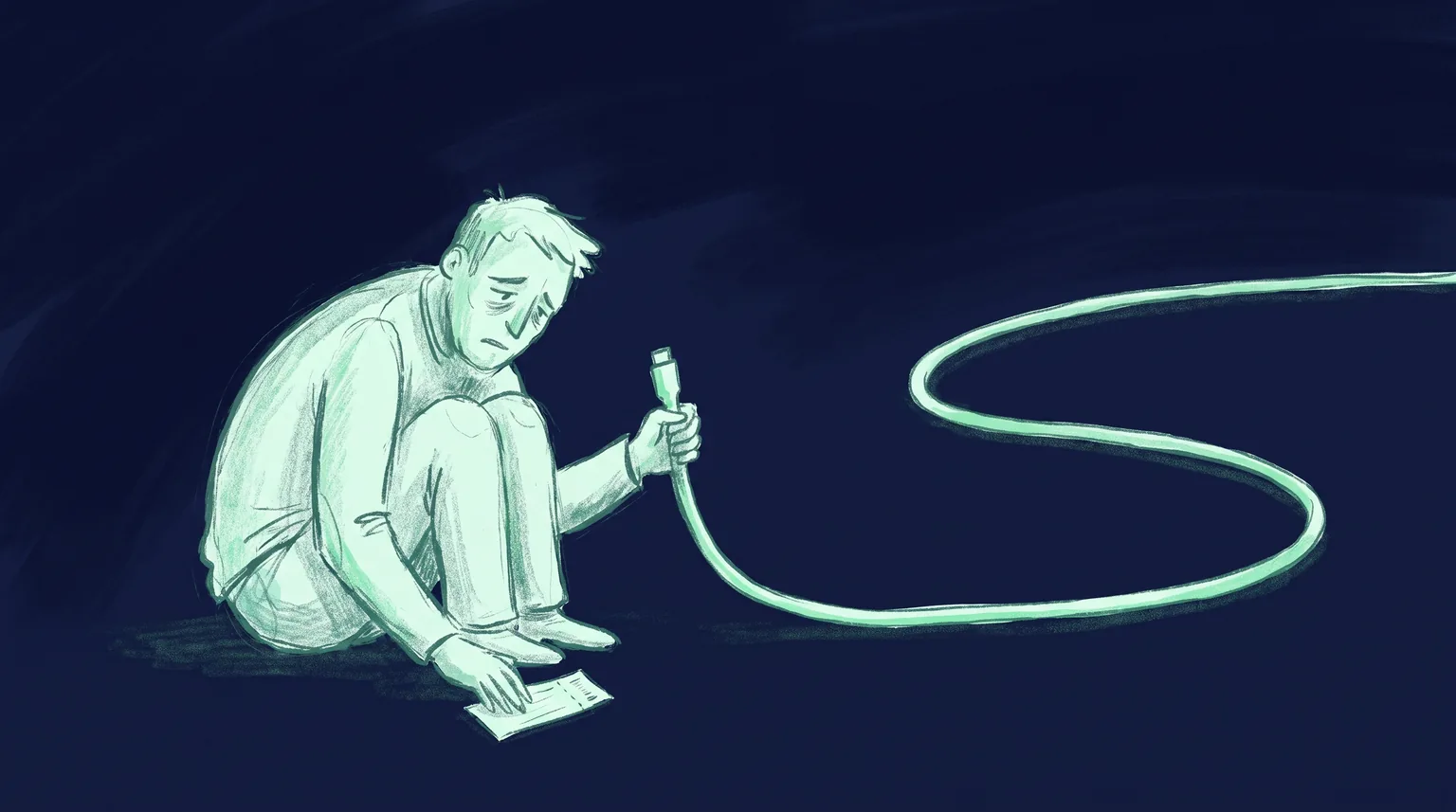
It's 4:40pm on a Friday and a developer we'll call Tomás has one ticket left on the board. His venue's tickets already sign and install. The last job is small. When doors move from 7:00 to 7:45, the pass should say so.
He opens Apple's guide to find the endpoint. The section is called "Send a Push Notification" and the instruction is two bullets long. Find the registered devices. Send each one a push with an empty JSON dictionary, using the certificate that signed the pass. He estimates an hour.
Two Thursdays later he is still on it, and he now owns a process that has to stay connected to Apple around the clock. If you're about to read those same two bullets, here is what they cost, and what it looks like to let someone else pay it.
Two bullets in the guide, one service in your stack
Apple's own summary of the update flow has five steps, and your server sends exactly one message in it. The device registers, your server pushes, the device asks what changed, and then it fetches the new pass. We covered every request in how Apple Wallet pass updates actually work, so this post stays on step three.
Step three looks like a webhook. It isn't one. Apple's push documentation asks for three things before you send a byte:
- HTTP/2 over TLS 1.2 or later. A plain HTTP/1.1 client can't talk to APNs at all. Apple retired the older binary protocol on March 31, 2021.
- A client certificate. Apple's Wallet documentation says the notification uses the same certificate and private key that signed the original pass. Your push sender needs the same secret your signer has.
- Production only. The same page carries a one-line note: a push for a pass update works only in the production environment. You can't rehearse against the sandbox host.
None of that is hard to read. All of it changes what you have to deploy. A signer can be a function that wakes up, signs, and exits. A push sender wants to stay alive.
The connection is the thing you're building
Here is the smallest honest version of the sender in Node, with no library:
import http2 from 'node:http2'
import fs from 'node:fs'

const session = http2.connect('https://api.push.apple.com', {
  cert: fs.readFileSync('pass-cert.pem'),
  key: fs.readFileSync('pass-key.pem'),
})

export function pushUpdate(pushToken) {
  return new Promise((resolve, reject) => {
    const req = session.request({
      ':method': 'POST',
      ':path': `/3/device/${pushToken}`,
      'apns-topic': 'pass.com.example.tickets',
    })

    let body = ''
    req.setEncoding('utf8')
    req.on('response', (headers) => {
      req.on('data', (chunk) => (body += chunk))
      req.on('end', () =>
        resolve({
          status: headers[':status'],
          reason: body ? JSON.parse(body).reason : null,
        }),
      )
    })
    req.on('error', reject)
    req.end('{}')
  })
}
About thirty lines, and it works. Look at the first statement, though. The session is opened once, outside the function, and that is the part you end up operating.
Apple's guidance on this is specific. Reuse a connection for as long as possible, which in most cases means hours to days. If it sits idle, send an HTTP/2 PING after an hour. Resolve the hostname with an uncached DNS query before each new connection so traffic spreads across Apple's servers. Apple can also close the connection on you with a GOAWAY frame that carries a reason, and your code has to notice and reconnect.
That list rules out a lot of places you might want to put this code. A function that freezes between invocations can't keep a session warm or answer a GOAWAY. Some edge runtimes can't present a client certificate chosen at request time. So the push sender tends to become its own small, always-on process, even when the rest of your stack is serverless. We run ours as a long-lived Node container for exactly that reason, with one cached connection per certificate.
A word on keys. If you already send app notifications, you probably use a .p8 token key and not a certificate. Apple's Wallet pages describe only the certificate route. In a July 2024 thread on Apple's developer forums, a DTS engineer wrote that token-based authentication can be used with the Pass Type ID as the topic. We haven't seen that in the reference documentation, so test it in production before you rely on it. The certificate route is the documented one.
The empty payload that wasn't sent
The payload is the easy part. It is {}. Apple explains why: pushes aren't guaranteed to arrive, and several pushes from one source get coalesced into one, so anything you put in the body could be lost. The push only says "something changed for this pass type".
Easy, and it still bit us.
Most Node teams don't write the HTTP/2 code above. They use a client library, and a popular one is @parse/node-apn. Its request code has a small shortcut you can read in the public source: if the compiled notification body is exactly the string {}, the client doesn't write a body at all. That shortcut exists for other request types. A Wallet update compiles to exactly that string.
So the request goes out with headers and no body. APNs answers 400 with the reason PayloadEmpty, which Apple's error table describes as "The message payload is empty". The push never reaches a phone.
We found this in our own sender after a library swap. Nothing crashed. Passes issued fine. Updates were saved. They just didn't land, and the only evidence was a failure reason in a result object that the happy path didn't read closely enough. The fix is one line that sends { }, with a space, which is the same empty dictionary to Apple and a different string to the library. We then added a test that reads the bytes off the wire, so an upgrade can't quietly bring the bug back.
Two lessons carry over to any stack you choose:
- Log the reason string, not just the count. A
failed: 1tells you nothing.PayloadEmptytells you where to look. - Test the sender against a real socket. A mock that accepts your notification object will pass while the wire stays empty.
Reading what Apple says back
Every request gets its own answer, and the answers aren't interchangeable. This is the table your sender has to implement, taken from Apple's response reference:
| Response | What it means | What you do |
|---|---|---|
200 | APNs accepted the push | Nothing. This is not proof the phone updated |
410 Unregistered or ExpiredToken | Token is no longer active for the topic | Delete the device and its registrations |
400 BadDeviceToken, DeviceTokenNotForTopic | Token is wrong for this pass type or environment | Don't retry. Remove it |
403 BadCertificate | Your certificate is invalid | Stop, fix it, open new connections |
429 TooManyRequests | Too many pushes in a row to one token | Retry after a delay |
500, 503 | Apple's side is unavailable | Retry later, with backoff |
A few details from that reference are easy to miss.
The 5xx retry is slow. Apple says you can retry those after 15 minutes. A retry loop that hammers the same request every second for a minute isn't a retry policy Apple recognizes.
A 410 carries a timestamp. It tells you when APNs confirmed the token stopped being valid. Compare it with the time that device last registered with you, and delete the registration if it's older.
Errors slow you down. Apple notes that 4xx responses reduce how fast you can send, and that APNs disconnects a provider with too many error conditions, sooner for some reasons such as BadDeviceToken. A 410 doesn't count against you. So a table full of dead tokens that return 400 is a throughput problem as well as a waste.
And the 200 only means Apple took the message. Whether the pass changed is something you learn from your own web service, when the device comes back to fetch it. The checks for that side are in why a pass doesn't update.
One changed row, forty thousand requests
There is no batch endpoint. The path is /3/device/<token>, one token per request. A loyalty card with one holder is one request. An event is not.
Take a made-up but ordinary case: a 40,000-seat show where doors slip by 45 minutes. That's one row changed in your database and, if most holders installed the pass, tens of thousands of requests you now have to send soon. A late door-time update is worth less with every minute.
Apple gives you the tools and leaves the tuning to you. You can open several connections. Each allows multiple concurrent streams, but Apple tells you not to assume a number, since it varies with server load. Apple also asks you to avoid bursts over a few selected connections. So you need a queue, a concurrency limit you can adjust, and a way to resume a half-finished fan-out after a deploy.
Then there is what happens to a second update. Apple's documentation says APNs stores only one notification per bundle ID for a device it can't reach, and that lower-priority pushes can be grouped and delivered in bursts depending on the phone's power state. A pass has a pass type identifier where an app has a bundle ID, so expect the same treatment. For passes that's fine, since the push carries no data and the device asks your server for the latest state anyway. It does mean you can't count pushes and expect that many fetches.
The parts that only break once a year
The failures above show up in week one. A second group waits.
The certificate expires. A Pass Type ID certificate has a fixed lifespan, and Apple's push guidance includes a plain reminder to get a new certificate and deploy it before the current one runs out. When yours lapses, installed passes stay on phones, and both signing and pushing stop. We wrote up the full blast radius in what breaks when a Pass Type ID certificate expires.
Apple's side changes too. In October 2024 Apple announced a new certificate authority for the APNs servers, effective in production on February 24, 2025. Every provider had to make sure its trust store included the new root. A sender on an old base image with a pinned bundle would have started failing on that date with no code change on your side.
The private key now lives in two places. Your signer has it and your sender has it. If those are separate services, you have two deployments to rotate and two places a leak can happen. The options for that are in where to store your signing certificate.
None of these is a hard problem. Each one is a calendar entry that belongs to somebody, on a service that was supposed to take an afternoon.
What it looks like when someone else holds the socket
A hosted pass API moves the whole sender behind the call you were already making. You change the pass. The service re-signs it, finds the registered devices, and pushes. With Passmint's Node SDK that is:
import { Passmint } from '@passmint/node'

const passmint = new Passmint({ apiKey: process.env.PASSMINT_API_KEY! })

const updated = await passmint.passes.update(
  'pass_xxx',
  { fieldValues: { doors: '7:45 PM' } },
  { idempotencyKey: 'show_812_doors_v2' },
)

console.log(updated.delivery.apple)
// { devices: 2, pushed: 2, failed: 0, unregistered: 0 }
The response is where the table from earlier went. pushed counts the devices Apple accepted a push for. unregistered counts the dead tokens that were cleaned up. failed counts refusals for any other reason. If a failure looks temporary, the update is queued for retry on a schedule that starts at 30 seconds and ends about 38 hours later, and you get a pass.update_failed webhook if it never clears. A pass.update_delivered webhook fires when a device fetches the new pass, which is the confirmation APNs itself never gives you. The exact fields are in the API reference.
Two things you still own, so plan for them:
- Your Pass Type ID certificate. Live passes have to be signed under your own Apple identity, so you create the certificate and upload it. You still renew it each time it expires. Passmint emails organization owners 30, 14, 7, and 1 day ahead.
- Deciding what deserves a push. No service can tell you whether a field change matters to the holder.
In test mode you don't need a certificate at all. Test passes are signed with Passmint's own, and you can install one on a real iPhone and push an update to it before you've opened the Apple Developer portal.
When running it yourself is the right call
Sometimes it is. If you already operate a push service for a large app, with on-call and dashboards, adding a pass topic and a second credential is a modest change. If your security rules say the signing key can't leave hardware you control, a hosted sender is off the table. And if you issue a few hundred passes that never change, you may not need updates at all.
For everyone else, be honest about the estimate. The push is two bullets in Apple's guide and a persistent HTTP/2 client, a retry policy, a token-pruning job, a fan-out queue, and a certificate calendar in your stack. Tomás got there in the end. It took most of two weeks, and he still carries the pager for it.
If you'd rather spend that week on the product the pass belongs to, the Passmint quickstart issues a test pass in a few minutes. Add it to your phone, send one update, and watch the door time change.
Primary sources
- Apple: Adding a Web Service to Update Passes
- Apple: Sending notification requests to APNs
- Apple: Handling notification responses from APNs
- Apple: Wallet Developer Guide, Updating a Pass
- Apple Developer News: Apple Push Notification service server certificate update
- Apple Developer Forums: Apple Wallet Push Notifications, sending in logs but not appearing on phone
- parse-community/node-apn on GitHub: lib/client.js
Common questions
Technical content writer, Passmint
Julio is a technical content writer at Passmint. He writes about Apple PassKit, the Google Wallet API, and what breaks when wallet passes meet production traffic.
More from Julio Song →