
A patient forgets to write down her specialist appointment. The paper card from her last visit sits somewhere in a kitchen drawer. The SMS reminder that arrived two days before looked like spam, so she swiped it away. She misses the appointment. For many clinics, that single empty slot can mean a few hundred dollars in lost revenue, depending on specialty and payer mix.
This is not unusual. It happens thousands of times a day across the country. The healthcare industry loses an estimated $150 billion each year to no-shows and late cancellations. That is a large and avoidable cost. The interesting part is one of the emerging solutions. It is not a new app. It is not an AI scheduling assistant. It is the digital wallet pass.
Apple Wallet and Google Wallet passes are becoming a practical fix that does not need a clinic-specific app. They surface where patients already spend their time: the phone lock screen. They are persistent, dynamic, and location-aware. They also do not require patients to install a new, clinic-branded app. In vendor case studies and pilots, some clinics have reported no-show reductions in the 20-30% range after adding wallet-based reminders.
The no-show problem is bigger (and more solvable) than most clinics realize
Industry-average no-show rates range from 5% to 30% depending on specialty. Primary care and behavioral health clinics get hit hardest.
Run some quick math on a 10-provider clinic with a 15% no-show rate. With typical appointment volumes and reimbursement, you can reach hundreds of thousands of dollars per year in lost revenue. That is not a rounding error. It can equal a full-time provider's salary lost to empty chairs.
Why have existing tools not fixed this?
Paper appointment cards get lost. SMS reminders are more often filtered into spam folders or ignored. Phone call confirmations eat staff hours and frustrate many patients. Younger patients often block or ignore unknown numbers. Standalone reminder apps need downloads that patients rarely complete. Many patient portals add friction: download the app, create an account, verify email, set a password, link a patient record, then search for the appointment.
Here is the shift in thinking that matters. Patients usually do not miss appointments because they do not care. They miss them because the reminder lives in the wrong place.
Paper is physical and easy to lose. SMS is ephemeral and easy to dismiss. A wallet pass can surface on the lock screen, update in real time, and travel with the patient everywhere.
That is the through-line for what follows. Wallet passes address the no-show problem from several angles: persistent visibility, location-based surfacing, and fast access to rescheduling links.
What a healthcare wallet pass actually looks like (and how it works)
A healthcare appointment wallet pass has a front and a back like a physical card. It is far more functional.
The front of the pass shows the essentials at a glance. Clinic name and logo. The patient's first name. Appointment date and time. Provider name. Location. Appointment type.
The back holds supporting details. Prep instructions like "No food 12 hours before your blood draw." Parking info. A cancellation policy link. The clinic's contact number.
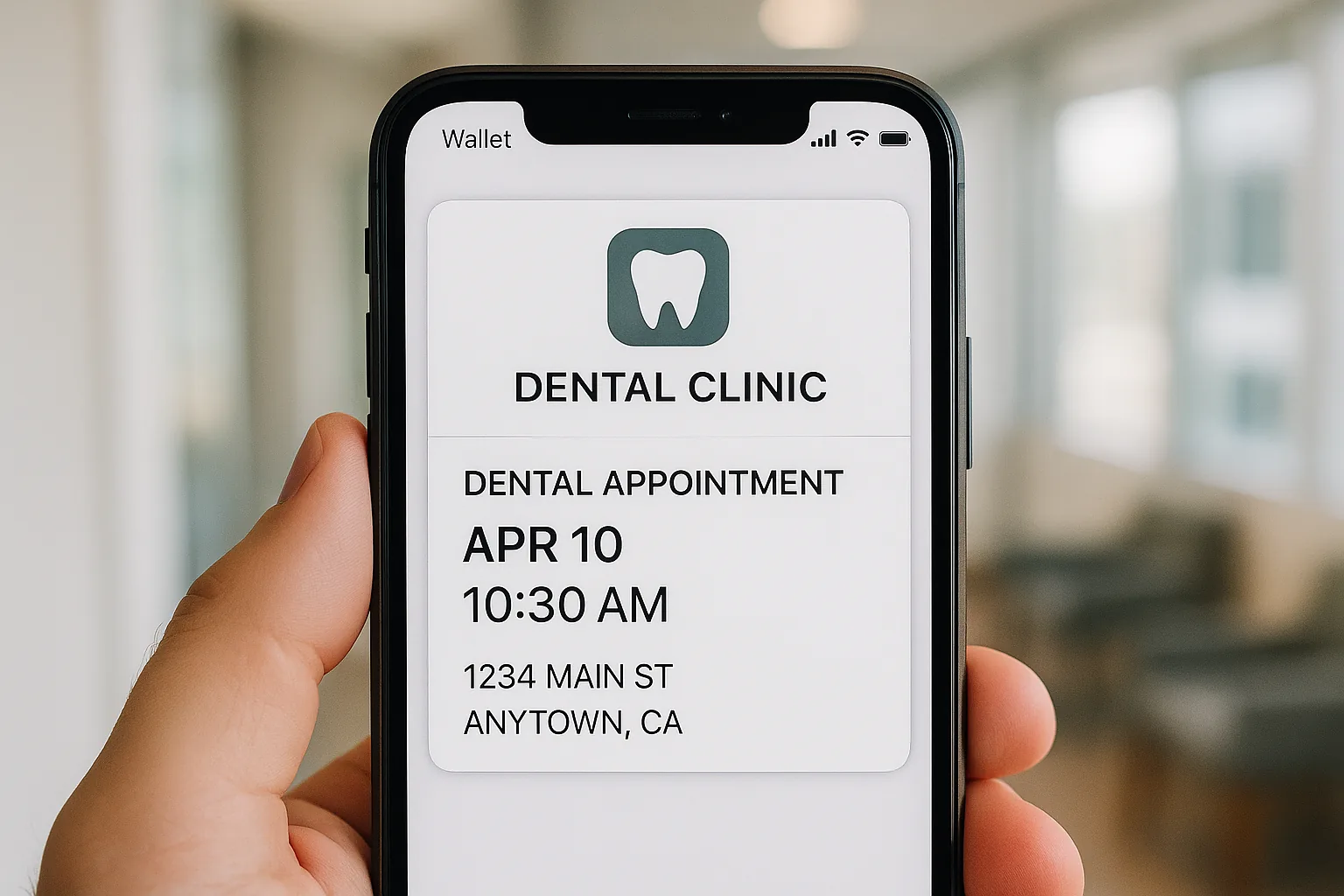
For the patient, the experience can be simple. In many implementations, the clinic sends a confirmation email or SMS with a single "Add to Apple Wallet" or "Add to Google Wallet" button. The patient taps once. The pass is saved. In many cases, this does not require creating a new portal account or installing a separate clinic app.
Compare this to typical patient portal onboarding. Download the app. Create an account. Verify your email. Set a password. Accept terms. Link your patient record. Then search for your appointment.
The real advantage is the dynamic nature of wallet passes. Unlike a PDF attachment or a basic calendar invite, a wallet pass can be updated on the server in real time. If the appointment is rescheduled, the pass updates automatically on the patient's phone. If the provider changes, the pass reflects it. No new email. Less confusion. This is different from any static reminder format.
For the technically curious, passes are delivered via Apple's PassKit framework and the Google Wallet API. They are defined as JSON pass bundles. A server hosts them and updates them through APNs (Apple Push Notification Service) or Google Wallet update endpoints.
In the United States, iOS devices represent roughly 55-60% of smartphones. Apple Wallet can reach more than half of US smartphone users. Google Wallet supports most modern Android devices. Together, Apple Wallet and Google Wallet can reach the vast majority of your smartphone users, although some Android users may need to activate or install Google Wallet.
The features that actually move the no-show needle
Four specific capabilities make wallet passes effective for healthcare appointments. Each one helps on its own. Together, they compound.
1. Lock screen notifications triggered by location
When a patient is near the clinic, or near home on appointment morning, the pass can surface on the lock screen through geofencing. This is a native Apple Wallet and Google Wallet capability, not a third-party push notification.
Patients are more likely to recognize and trust notifications from a built-in wallet app than from an unfamiliar phone number.
2. Time-based notifications
Passes can trigger time-based or update notifications. For example, 24 hours or 2 hours before the appointment. These appear as native notifications tied to the wallet app. The notification comes from a trusted system app, not from a number the patient does not recognize.
3. Embedded rescheduling and cancellation links
If a patient knows they cannot make it, they can tap a link on the back of the pass to reschedule or cancel. No searching for a phone number. No time on hold. No navigating a clunky portal.
Your clinic gets more lead time to fill the slot. You avoid finding an empty chair at appointment time.
4. Real-time updates as a trust signal
When you push a provider change or room update to a pass and the patient sees it, trust increases. Patients are more confident that the appointment is confirmed and current. That extra confidence can improve attendance.
In some vendor case studies, clinics that implement all four features have reported 20-30% reductions in no-shows. The impact comes from the system, not a single feature.
How a multi-location dental group rolled out wallet passes
Consider a realistic scenario. Clearview Dental, a composite example based on common implementation patterns, operates 6 locations with roughly 800 appointments per week. Their no-show rate is 12%. Their front-desk team spends about 2 hours per day making confirmation calls.
Integration was straightforward. Their practice management software, similar to Dentrix or Eaglesoft, triggers a webhook whenever an appointment is created. A pass platform like Passmint receives that webhook, generates a unique pass for the patient, and sends an "Add to Wallet" link through the clinic's existing email confirmation. No patient-facing app. No new login system.
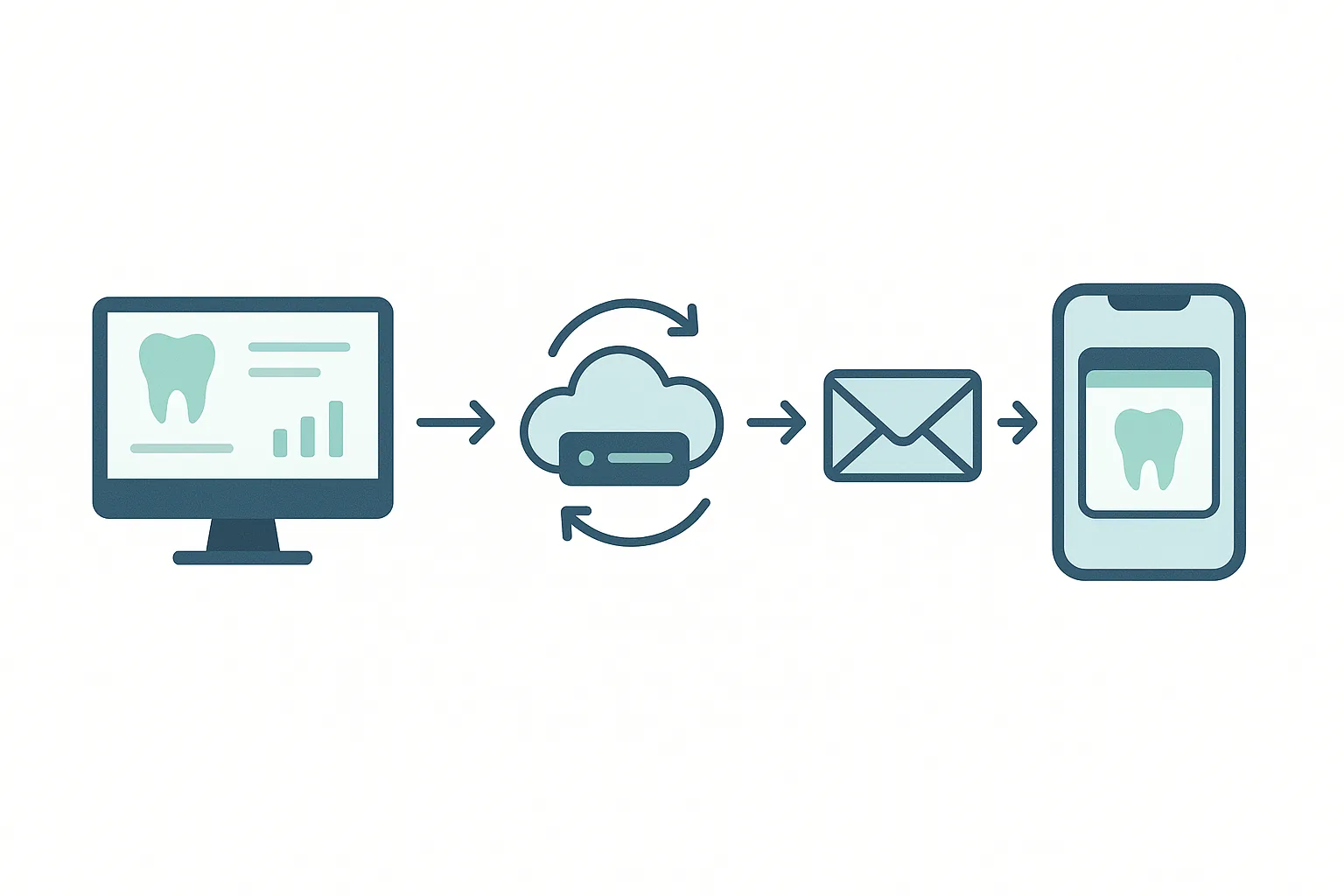
One key design decision was to exclude date of birth, full insurance details, and procedure codes from the pass. Only appointment logistics made the cut. This was both a compliance decision and a user experience decision. Passes should be glanceable, not full clinical records.
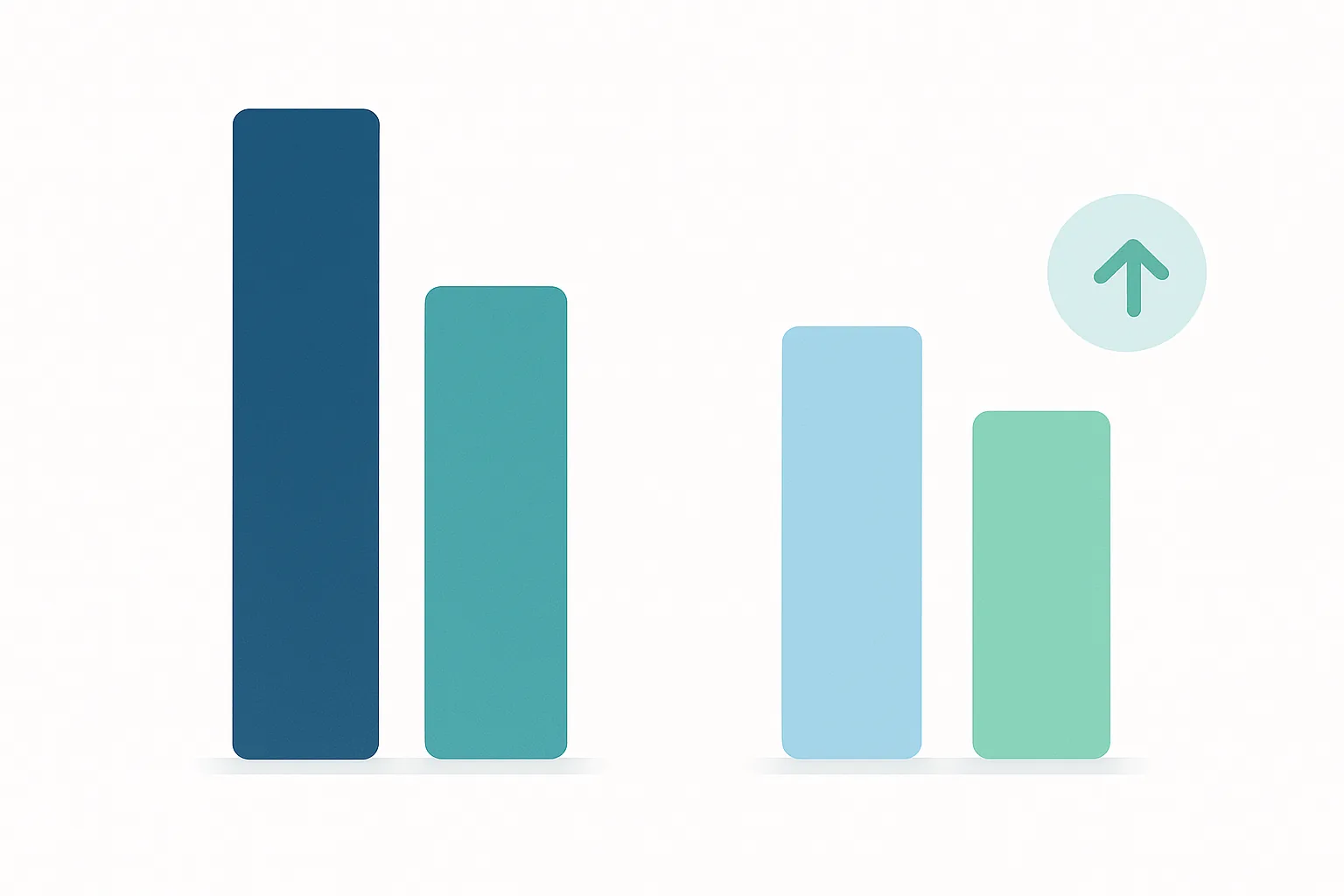
Because this is a composite example, the numbers are illustrative, but they reflect patterns seen in real pilots. In a 90-day pilot, a clinic like this might see its no-show rate drop from around 12% to under 9%. That reduction is material.
Front-desk confirmation call time often falls when more patients rely on digital reminders. Patient satisfaction scores on "appointment communication" tend to rise. Recovered revenue from filled slots can offset the cost of a pass platform quickly.
The transferable lessons are consistent. Integration is often lighter than expected because wallet passes fit into your existing communication workflows. Patient adoption is the main friction point. The strongest internal champion is often not IT, but the front-desk office manager who sees call volume drop.
Healthcare's constraints: PHI, compliance, and what belongs on a pass
Every healthcare operator asks the same first question: "What about HIPAA?"
HIPAA does not certify specific technologies. What matters is whether protected health information (PHI) is created, stored, or transmitted, and who handles it. If wallet passes include PHI and a vendor manages them for your clinic, that vendor is typically a business associate and must meet HIPAA requirements.
Because a pass can show on a lock screen and to anyone who picks up the phone, clinics should apply minimum-necessary standards to what they display.
A practical framework is what we call "PHI-lite" pass design. In other words, passes show only the minimum details needed for appointment logistics.
- Safe to include: patient first name only (not full name plus date of birth), appointment date and time, provider first name, clinic location, high-level appointment type such as "Dental Cleaning"
- Avoid: diagnosis codes, insurance member IDs, full procedure descriptions, medication names, and anything that could be harmful if seen by a third party (for example, "HIV Test Follow-Up")
On the Business Associate Agreement (BAA) question, your clinic should confirm whether the pass platform vendor qualifies as a business associate and sign a BAA. Reputable pass platforms will have this ready. It is a standard vendor onboarding step.
Patient adoption needs honest attention. The "Add to Wallet" step is simple, but it is still a behavior change. For older patient populations, this takes more effort.
Practical tactics that work:
- Front-desk staff verbally prompting patients at checkout
- QR codes printed on paper cards that link to the digital pass
- A/B testing SMS versus email delivery of the wallet link to see which channel converts better
For Android users, there is one real-world caveat. Google Wallet passes need the Google Wallet (or compatible) app to be active. That is not universal across all Android devices and carrier configurations. Thoughtful implementations plan for this with an SMS or email fallback.
The business case: staff hours, slot recovery, and ROI in plain numbers
Here is a simple model you can adapt to your own clinic.
Say your practice runs 200 appointments per week with a 15% no-show rate. That is 30 missed slots each week. If your average appointment value is $180, you lose about $5,400 per week.
If you reduce no-shows by 25%, you recover 7 to 8 slots per week. That is roughly $1,350 weekly, or about $70,000 per year from slot recovery alone.
Now add staff costs. If a front-desk coordinator spends 90 minutes per day on confirmation calls at $20 per hour, that equals roughly $7,800 per year.
Wallet passes with automated reminders can cut this significantly. Your staff can spend more time on higher-value work like insurance verification and patient intake.
In many cases, a pass management platform like Passmint is far less expensive than building or licensing a full patient engagement app. You get enterprise-grade capability at a price point that works even for a 3-provider practice.
It is worth addressing a common objection: "We can just use calendar invites."
Calendar invites can be deleted. They do not support geofencing. Organizer-side changes often need new invitations or updates. They also do not surface on the lock screen in the same way wallet passes are designed to.
Wallet passes do all four things that matter. They support location triggers. They support time-based reminders. They update in real time. They live in the wallet app, which patients already use for tickets and payments.
They are a purpose-built reminder artifact, not a repurposed scheduling tool.
Is a wallet pass program right for your clinic? A decision framework
Four factors will tell you whether wallet passes make sense for your practice.
1. Patient volume threshold
As a rough rule of thumb, clinics with more than about 100 appointments per week are more likely to see clear ROI from automation. Below that, manual processes may still be manageable.
2. No-show rate baseline
Clinics already below 5% have less to gain. Those above 10% have a strong case to act.
3. Tech stack readiness
Check whether your practice management system supports webhooks or API integrations. If it does, implementation is usually straightforward. If it does not, you can start with a simple middleware connector or even a manual CSV upload workflow.
4. Patient demographics and device mix
If you serve a predominantly older population (65+), expect slower wallet adoption. Plan for a parallel paper and SMS fallback. Practices with younger demographics tend to see faster wallet adoption with minimal prompting.
A phased rollout keeps risk low.
- Phase 1 (weeks 1-4): pilot with one location or one provider schedule. Measure add-to-wallet rate and no-show changes.
- Phase 2 (weeks 5-12): expand to the full patient base. Train front desk on verbal prompting. Integrate rescheduling links.
- Phase 3 (month 4 and beyond): refine pass design based on data. Explore extensions such as recall passes for "Your next cleaning is due in 6 months."
In practice, many clinics find that wallet passes are more of an operations decision than a technology challenge. The underlying technology is mature. The key question is whether your clinic is ready to adjust workflows.
For most appointment-based practices, the answer can be yes.
The appointment that did not get missed
Return to the patient from the beginning. She lost the paper card. She ignored the SMS. The clinic lost a valuable appointment slot.
Fast-forward six months. Same patient. Same clinic. Now there is a wallet pass program in place.
The confirmation email arrives. She taps "Add to Apple Wallet". The pass appears on her lock screen. On appointment morning, it surfaces again as she leaves her neighborhood.
When her plans change, she taps the reschedule link on the pass instead of calling. The clinic fills the slot. The no-show rate is lower. The front desk spends the afternoon on intake instead of outbound calls.
Wallet passes are a mature, widely supported format. When you implement them with appropriate privacy safeguards, they can help your clinic reduce costly no-shows without forcing patients to install a dedicated app.
The clinics improving no-shows today are not always the ones with the most complex patient portals. They are the ones that put the right reminder in the right place at the right time.
Getting started is now relatively easy. You can explore Passmint's pass templates, review the API documentation, or start a pilot with a single provider schedule this week. Your front desk will feel the difference in call volume.
Primary sources
Common questions
Technical content writer, Passmint
Julio is a technical content writer at Passmint. He writes about Apple PassKit, the Google Wallet API, and what breaks when wallet passes meet production traffic.
More from Julio Song →