
A mid-size music festival sells 25,000 tickets. Day 1 arrives and 6,000 people do not show up. That means thousands of empty spots on-site and a substantial hit to expected food sales, merchandise revenue, and sponsorship value. No-shows are a major drag on event economics. Organizers have tried aggressive email reminders, penalty fees, and guilt-based messaging. None of it has reduced no-shows enough.
Apple Wallet and Google Wallet passes are changing that. They are becoming one of the most effective anti no-show tools in the events industry. Organizers who move from PDF and email tickets to wallet passes often report meaningful, sometimes double digit, reductions in no-show rates.
The reason is simple. Wallet passes do not sit buried in an inbox. They can surface on the lock screen. They support real time updates. They create repeated, contextual touchpoints from the moment someone buys a ticket to the moment they scan in at the gate.
This article is a tactical guide for event organizers, ticketing platforms, and developers building event experiences. You will see why no-shows happen, why wallet passes often outperform other reminder channels, which tactics drive results, and how to implement wallet passes for your next event. The insights draw from publicly reported experiences at Coachella, NFL venues, and mid-size festival operators, as well as composite learnings from platform case studies.
The no-show problem: why event organizers are bleeding revenue
No-shows are not a minor inconvenience. They are a structural revenue problem. Reports from event platforms like Eventbrite and Bizzabo suggest no-show rates often range from about 10% to more than 40%, depending on event type. Free events tend to see the highest no-show rates. Many paid events and conferences still see double digit percentages of registrants who never turn up.
The damage goes far beyond an empty seat.
Many festivals report that on-site per capita spending on food, drinks, and merchandise can easily reach tens of dollars per attendee per day, and often more. Every no-show removes that per-capita revenue. Sponsors who signed deals based on projected attendance see their ROI fall when turnout is lower than planned. Operationally, organizers have already spent money to serve those missing attendees. Staff, food orders, portable restrooms, and security are in place. That money does not come back.
Traditional reminder tactics have hit a ceiling. Many email marketing benchmarks put average open rates around 20% to 30%. Event reminder emails usually fall in that range. Dedicated event apps often see only a minority of ticket holders download and use them, especially for one-off events. SMS blasts face growing carrier and OS-level filtering. They are easy to ignore and can quickly trigger opt-outs when overused.
Wallet passes change this equation. They succeed where these channels struggle because they hold a unique position. They are persistent, native to the device, and very low friction on the phone your attendees already carry everywhere.
Why wallet passes can outperform standalone event apps
The core advantage is almost no download friction. Adding a wallet pass usually takes a single tap from an email, SMS link, or web page. No app store visit. No account creation. No large download warning.
A dedicated event app creates many more steps. The user must visit the app store, download, install, create or log into an account, and then find their ticket. Each extra step costs you users.
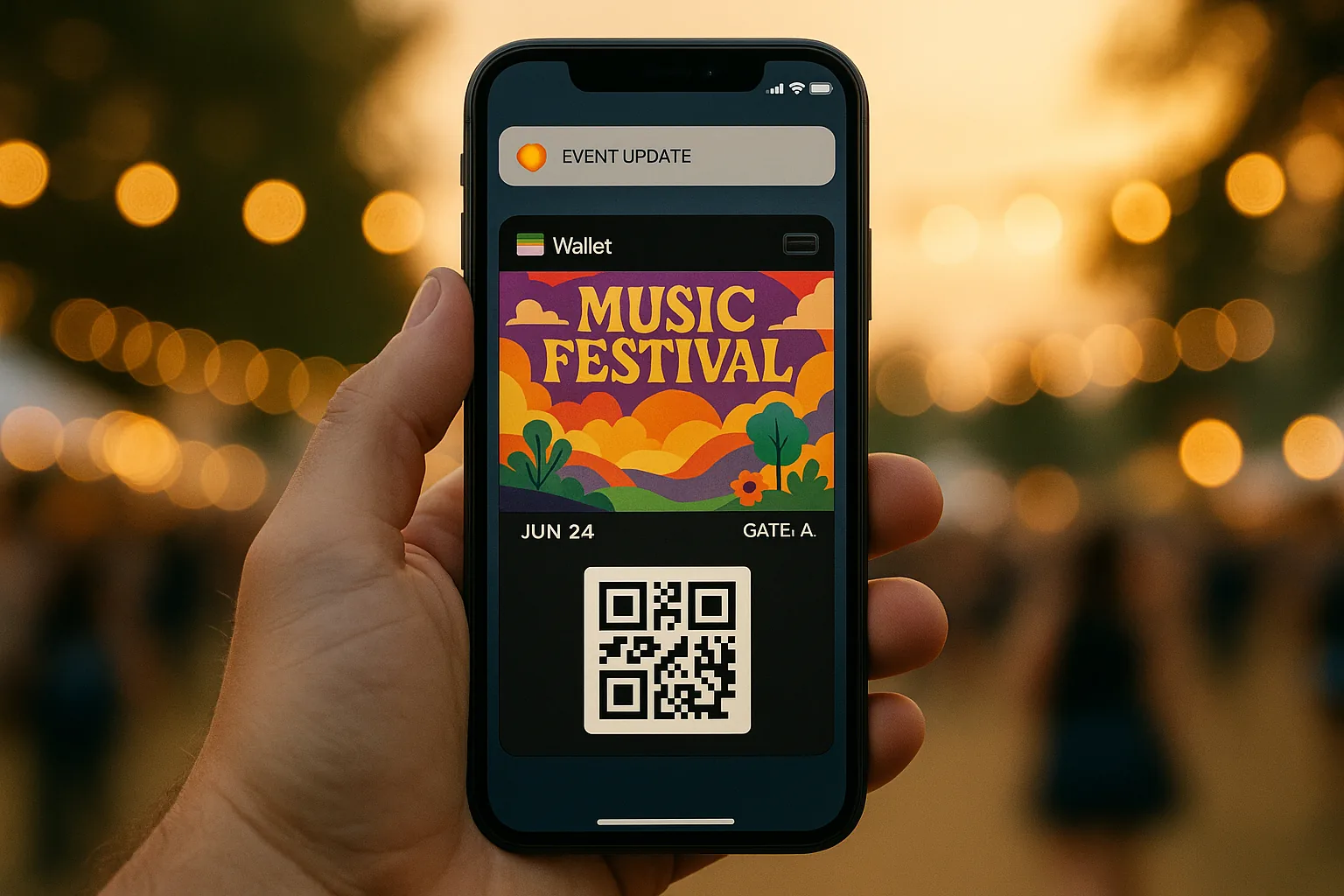
Lock screen persistence is the second advantage. Once added, a wallet pass can appear automatically based on time and location. The attendee does not have to remember to open anything. The pass can appear on its own when it is most relevant. For example, the morning of the event or when the attendee approaches the venue. This is powered by Wallet integrations on iOS and Android.
Standalone apps can send time or location based notifications. They usually cannot match the simple, automatic "this is your ticket" experience that Wallet passes provide.
The notification channel itself is also strong. Wallet pass updates are managed through the device's built in Wallet notification system. When enabled by the user, updates can appear as lock screen alerts without requiring attendees to grant notification permissions to a separate event app. Because the pass is part of the native Wallet experience, many attendees are more likely to keep these notifications enabled than app based alerts.
Some providers report significantly higher engagement on wallet pass notifications compared to standard app push notifications. In some cases this is several times higher, though exact numbers vary by implementation and audience.
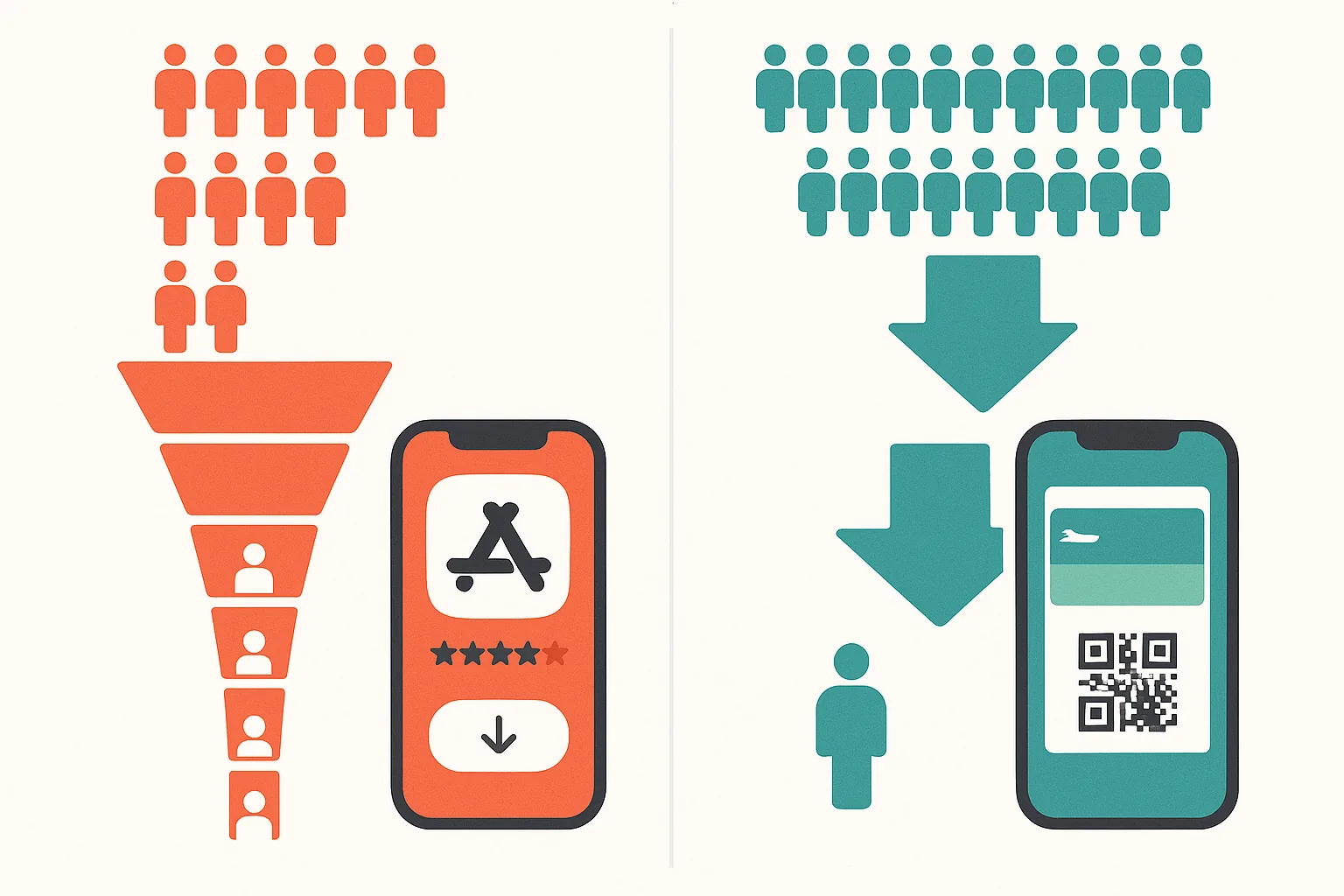
For a single event, the tradeoff is clear. For a one-off concert or a two-day conference, asking someone to download a dedicated app is often a losing proposition. Many attendees will not bother. Wallet passes are built for exactly this scenario. They are lightweight, short lived, and still able to deliver real time updates.
For multi-day festivals, the pass can act like a living itinerary. It can refresh with updated schedules, gate assignments, and weather alerts.
The tactical playbook: 4 wallet pass features that help reduce no-shows
Reductions in no-shows do not come from a single feature. They come from the compounding effect of multiple well timed touchpoints. Here are four tactics that leading organizers use.
Tactic 1: dynamic pass updates that build anticipation
Organizers push updated content to the pass in the days before the event. Lineup changes, parking instructions, weather alerts, and set time reminders are common. Each update can trigger a lock screen notification, depending on user settings. Over the course of a week, that creates a series of micro touchpoints that keep the event top of mind and increase the chance that attendees show up.
Coachella shows how large festivals now rely on digital ticketing. The festival uses RFID wristbands and digital tickets as part of a mobile first experience. This gives organizers and attendees far more real time information than a static wristband only entry ever could.
Tactic 2: geo-triggered notifications near the venue
When an attendee enters a defined area around the venue, the pass can automatically appear on the lock screen with gate information, entry instructions, or a welcome message. This is especially useful for multi-venue festivals and large stadium events where finding the right entrance matters.
NFL teams have embraced mobile ticketing at scale. The league has required mobile only ticketing across all 32 teams. Many teams, including the Dallas Cowboys and San Francisco 49ers, support Apple Wallet passes configured with venue proximity relevance. When fans approach the stadium, their pass can appear with their gate assignment and a scannable code ready for entry.
Tactic 3: real-time capacity management
Because wallet passes update server side in near real time, organizers can manage crowd flow more actively. You can push gate assignments to specific groups, suggest less crowded entrances, or stagger entry windows across time slots. This turns a static ticket into a simple operations tool that improves the first impression of the event by reducing bottlenecks at the front gate.
Some large-scale events use this to smooth out arrival surges. Instead of 15,000 people converging on two gates at noon, you can encourage arrivals to spread across more gates and different times. You do this through clear, targeted updates on the pass itself.
Tactic 4: post-event re-engagement through the same pass
The pass does not have to stop being useful once someone walks through the gate. After the event, you can push thank you messages, survey links, early bird offers for next year, or links to photo and video recaps. You can do all of this through the same pass. No new channel is required.
In internal case studies, some organizers have seen much higher engagement on post event messages sent via wallet pass updates compared to email. The exact uplift varies by audience and execution. The main advantage is clear. The pass is already on the attendee's phone, and they have already used it.
Case studies: Coachella, the NFL, and mid-size festivals
Coachella and large-scale festivals
Coachella's ticketing system has moved well beyond paper tickets. RFID wristbands and digital ticketing now play central roles. Organizers have reported benefits such as improved gate throughput, better visibility into attendee flows, and a smoother attendee journey. Digital systems provide live visibility into crowd patterns that physical tickets cannot match.
NFL and professional sports
The NFL's move to mobile only ticketing across all 32 teams is one of the largest real world deployments of mobile ticket technology. It often includes wallet compatible passes. Public reports highlight reduced will call lines, faster entry with measurable improvements in gate throughput times, and higher in-venue spending. For many teams, mobile tickets stored in Apple Wallet or Google Wallet act as the anchor for the broader game day digital experience, connecting ticketing to parking, concessions, and loyalty programs.
Mid-size festival and conference operators
The results at smaller scale are also strong. In ticketing platform case studies, some mid-size operators with 5,000 to 20,000 attendees have reported clear reductions in no-shows after they introduced wallet passes. In some cases this approached 20% to 30%. Results still vary by event, audience, and communication strategy.
In one documented example, a conference saw day of attendance rise sharply after it overhauled its reminder strategy with wallet passes alongside other improvements.
Across all three tiers the pattern is consistent. Reductions in no-shows do not come from magic. They come from additional, targeted touchpoints between purchase and event that are enabled by wallet passes and that feel useful instead of spammy.
Implementation guide: how to get started with wallet passes for events
The technical building blocks
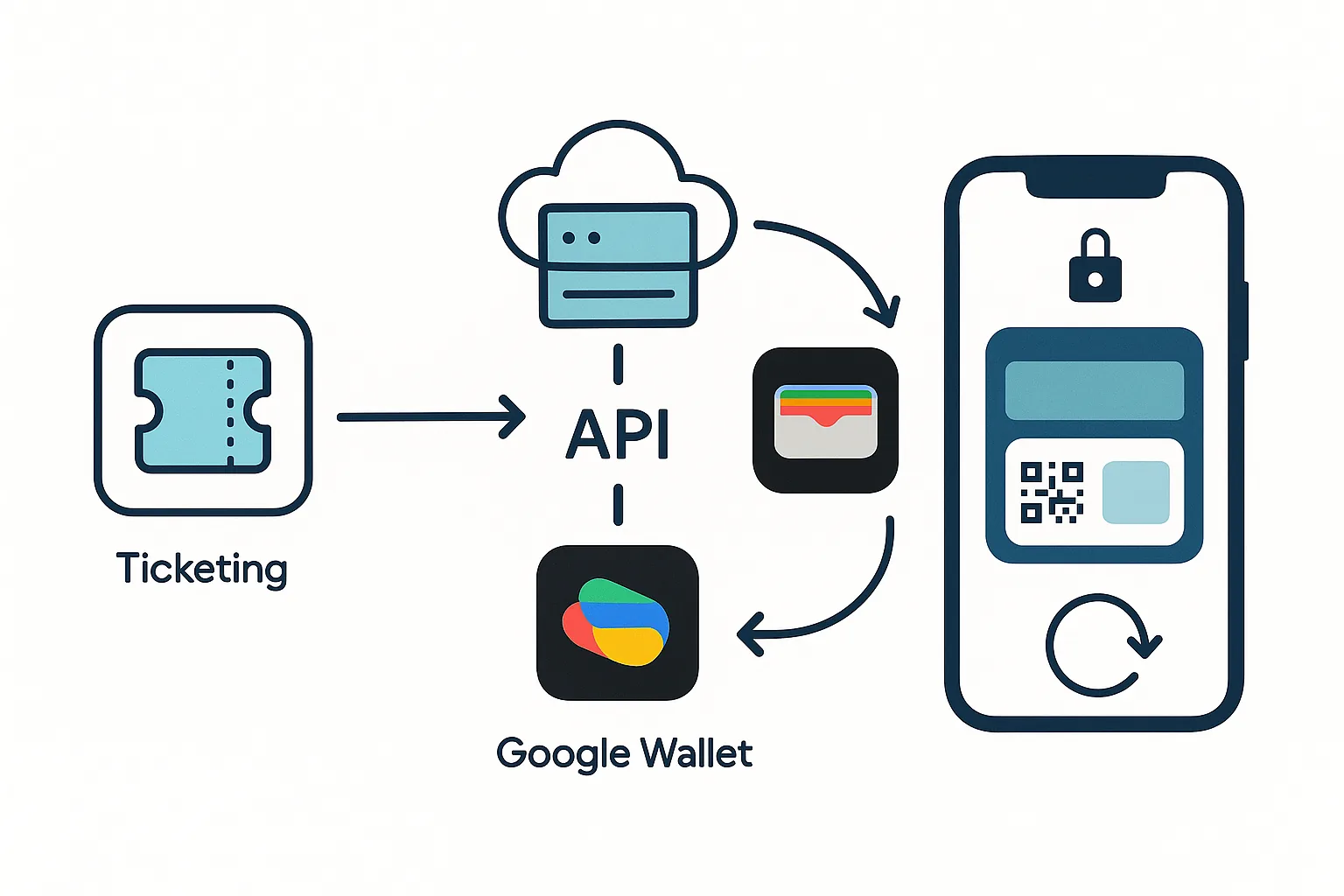
Apple Wallet uses .pkpass files built on the PassKit framework. Google Wallet uses JWT based pass objects managed through the Google Wallet API. Both platforms support event ticket pass types with structured fields for event name, date, venue, seat or section information, and a barcode.
The barcode can be a QR code, PDF417, or Aztec code. The right choice depends on your scanning infrastructure and what your platform supports. Both platforms also support time and location relevance settings that help decide when the pass appears on the lock screen.
The integration path
Most event organizers integrate wallet pass generation into their existing ticketing flow. That might be Eventbrite, Ticketmaster, or a custom-built platform. The integration usually happens through APIs that generate and deliver passes at the point of ticket purchase or confirmation.
Platforms like Passmint simplify this by providing pass creation, distribution, and update infrastructure through a clean API. You do not need deep PassKit or Google Wallet API expertise. Passmint handles certificate management, pass signing, and delivery. Your team can focus on the attendee experience.
The update and notification workflow
Passes are updated server side. For Apple Wallet, you push new pass data through Apple's APNs (Apple Push Notification service). For Google Wallet, you call the API update endpoint. When configured correctly, and assuming attendees have Wallet notifications enabled, each update can trigger a lock screen notification on the attendee's device.
You need a clear communication calendar. Map out what updates you will send and when:
- 7 days before: Parking and arrival instructions
- 3 days before: Final lineup or schedule update
- 1 day before: Weather forecast and what to bring tips
- Day of, morning: Gate opening time and entry instructions
- Geo-trigger: Welcome message when approaching the venue
- Post-event: Thank you, survey, early bird offer for next year
Tips that actually matter
Keep the pass design clean and on brand. Include a clear, large barcode or QR code for fast scanning. Use the structured fields properly. Event date, location, and gate information should be immediately visible.
Plan several pre event updates and set up geofencing for venue proximity where it makes sense. Prepare your post event update before the event starts.
As a guideline, many organizers find that four to six total push updates across the entire event lifecycle work well. Sending significantly more can train attendees to ignore you, which defeats the purpose.
Where this leaves you
Return to that hypothetical festival with 6,000 no-shows. A 30% reduction in that no-show pool would bring back about 1,800 attendees. At $45 to $80 per person in on-site spending, that is roughly $81,000 to $144,000 in recovered ancillary revenue per day. For a multi-day event, the numbers scale quickly.
Exact results will always vary by event. Multiple case studies still point in the same direction. When you give attendees a mobile first ticket experience with repeated, relevant reminders, you are more likely to see higher attendance and engagement. Wallet passes are a practical way to do this because they combine low friction, OS-level relevance, and a built in notification channel.
The shift is already underway. The NFL has gone all in on mobile tickets. Major festivals and venues are following. The tooling, from Apple Wallet and Google Wallet to platforms like Passmint, has matured to the point where even a small conference organizer can implement wallet passes in days, not months.
Looking ahead, the gap between organizers who use wallet passes and those who do not will only widen. Apple's Live Activities bring real time event data directly to the Dynamic Island and lock screen. Google Wallet continues to expand its pass capabilities. If you adopt wallet passes now, you build a communication channel you can refine and benefit from for years.
Passmint handles pass creation, distribution, and updates for event ticketing, or you can contact us for a walkthrough of how wallet passes would work for your next event.
Primary sources
Common questions
Technical content writer, Passmint
Julio is a technical content writer at Passmint. He writes about Apple PassKit, the Google Wallet API, and what breaks when wallet passes meet production traffic.
More from Julio Song →